

- What Apps Do You Actually Need for Traveling in Korea?
- Which Apps Help You Get Around Korea? (Maps & Transit)
- Which Translation App Should You Use in Korea?
- Which Payment App Should You Use in Korea?
- How Do You Book a Restaurant Table in Korea?
- Which Apps Keep You Safe in an Emergency in Korea?
- Need Help? Official Resources
- Korea Travel Apps at a Glance
- Korea Travel Apps: Quick Answers
- What Apps Do You Actually Need for Traveling in Korea?
- Which Apps Help You Get Around Korea? (Maps & Transit)
- Which Translation App Should You Use in Korea?
- Which Payment App Should You Use in Korea?
- How Do You Book a Restaurant Table in Korea?
- Which Apps Keep You Safe in an Emergency in Korea?
- Need Help? Official Resources
- Korea Travel Apps at a Glance
- Korea Travel Apps: Quick Answers
Your phone’s home screen might be the single most useful thing you pack for Korea.
Between mapping a subway transfer, splitting a taxi fare, and reading a restaurant menu, the right apps do more work than any guidebook.
This list sorts them by what you’ll actually use each one for, so you know exactly what to download before you land.
What Apps Do You Actually Need for Traveling in Korea?
Six categories cover a smooth trip. A map app for navigation. A transit app or card for subways and buses. A translation app for menus and signs. A payment app for tapping in without a Korean bank account. A reservation app for popular restaurants. And a government safety app for emergency alerts.
You don’t need dozens of apps. Most travelers get by comfortably with five or six installed before departure. Google Maps barely works for walking or driving directions inside Korea, so a local map app isn’t optional the way it might be elsewhere.
Once you’ve sorted out your visa or K-ETA for entry and picked a SIM card, eSIM, or WiFi egg to get connected, apps are really the next layer of trip prep: the tools that make each day easier once you’re actually on the ground. See our Korea entry guide if you haven’t confirmed your visa or K-ETA status yet.
- Navigation: Naver Map
- Transit: Kakao Metro (or Naver Map’s built-in transit routes) + Mobile T-money + Let’s Korail
- Translation: Papago
- Payment: WOWPASS
- Restaurant reservations: Catchtable
- Emergency & safety: Emergency Ready app
Where this list comes from:
This guide is built around the official app recommendations published by the Korea Tourism Organization on VisitKorea’s “Helpful Apps & Resources” page, cross-checked against what’s actually useful day to day.
Which Apps Help You Get Around Korea? (Maps & Transit)
For getting around Korea, Naver Map is your primary navigation app and Mobile T-money is your transit payment method, with Let’s Korail added if you’re taking KTX or intercity trains.
Inside Korea, Google Maps has no walking directions, no driving directions, and no full transit routing. National mapping data restrictions are the reason.
So locals and long-term residents default to Naver Map. It covers walking, cycling, driving and public transit, plus real-time bus and subway arrival times, business hours, and reviews.
For paying the fare itself, Mobile T-money turns your phone into a tap-to-pay transit card. It works on subways, buses and many taxis. Top-ups now take international credit cards, so no convenience store run is needed.
If you’re heading beyond the city on KTX, SRT, or a regional express train, Let’s Korail handles ticket booking directly from your phone.

Naver Map
- Korea’s most widely used map app, built specifically for local streets, addresses, and transit data
- Walking, cycling, driving, and public transit route options in one search
- Business hours, reviews, and bookmarking so you can save spots before your trip
- Available in English: switch the display language in the app’s settings menu
Getting Around by Subway and Bus
Naver Map’s built-in transit routing already covers most subway and bus trips, showing you exact platforms, transfer walking distances, and next-departure times.
Kakao Metro is subway-only. Some travelers prefer its cleaner line diagrams and transfer visuals, which earn their keep in transfer-heavy stations.
Either app works. Pick whichever interface clicks for you, or lean on Naver Map’s transit tab and skip installing a second app.
Mobile T-money
- Turns your smartphone into a tap-to-pay transit card for subways, buses, and many taxis
- Accepts international credit cards for top-ups, so you don’t need a Korean bank account or cash
- Works alongside a physical T-money card if you’d rather keep a plastic backup
Two newer options are worth knowing about too: Seoul is building tap-to-pay support for foreign credit cards directly (see our Seoul EMV open-loop guide for the timeline), and Busan buses already accept QR payment straight from apps like Alipay and WeChat Pay (see our Busan Zero Pay guide).
Let’s Korail
- Official app for booking KTX, SRT, and other intercity/tourist train tickets
- Supports the Korail Pass, a discounted multi-day rail pass built for international travelers
- Lets you pull up your e-ticket on your phone instead of printing anything
Which Translation App Should You Use in Korea?
Papago is the translation app to use in Korea. It’s built by Naver specifically for Korean and consistently outperforms general-purpose translation apps on Korean grammar, menus, and signage.
Papago handles typed text, photos of menus or signs, handwriting, and voice input across 14 languages, and its camera translation mode is genuinely useful for restaurant menus that only exist in Korean.
Download it before your trip and test the camera-translate feature once. Day one, mid-restaurant, is a bad time to learn the interface.
It handles common phrases offline too, provided you grab the offline language pack in advance. That matters if you’re relying on a prepaid SIM with limited data.
Get the camera translation ready before you need it
Open Papago once after downloading and grant camera permissions, then do a test scan of any Korean text nearby. Doing this at your hotel is much easier than fumbling through a permissions prompt at a restaurant counter with a line behind you.
Which Payment App Should You Use in Korea?
WOWPASS is the payment app most international travelers use in Korea. It’s an all-in-one prepaid card built specifically for visitors, combining a transit card and a debit-style card you can use almost anywhere that accepts local payment.
You load money onto it using foreign cash or a foreign card at WOWPASS kiosks found in subway stations and tourist areas, and it can be topped up again at convenience stores once you’re set up.
Because a large share of small vendors, markets, and even some taxis in Korea still don’t accept foreign-issued credit cards smoothly, having a Korean-linked prepaid card removes a surprising amount of daily friction.
It’s not the only option (some travelers get by on a no-foreign-transaction-fee credit card alone), but WOWPASS is the closest thing to a universal local payment method built for tourists. See our currency exchange and payment methods guide for how it compares to cash, cards, and ATM withdrawals.
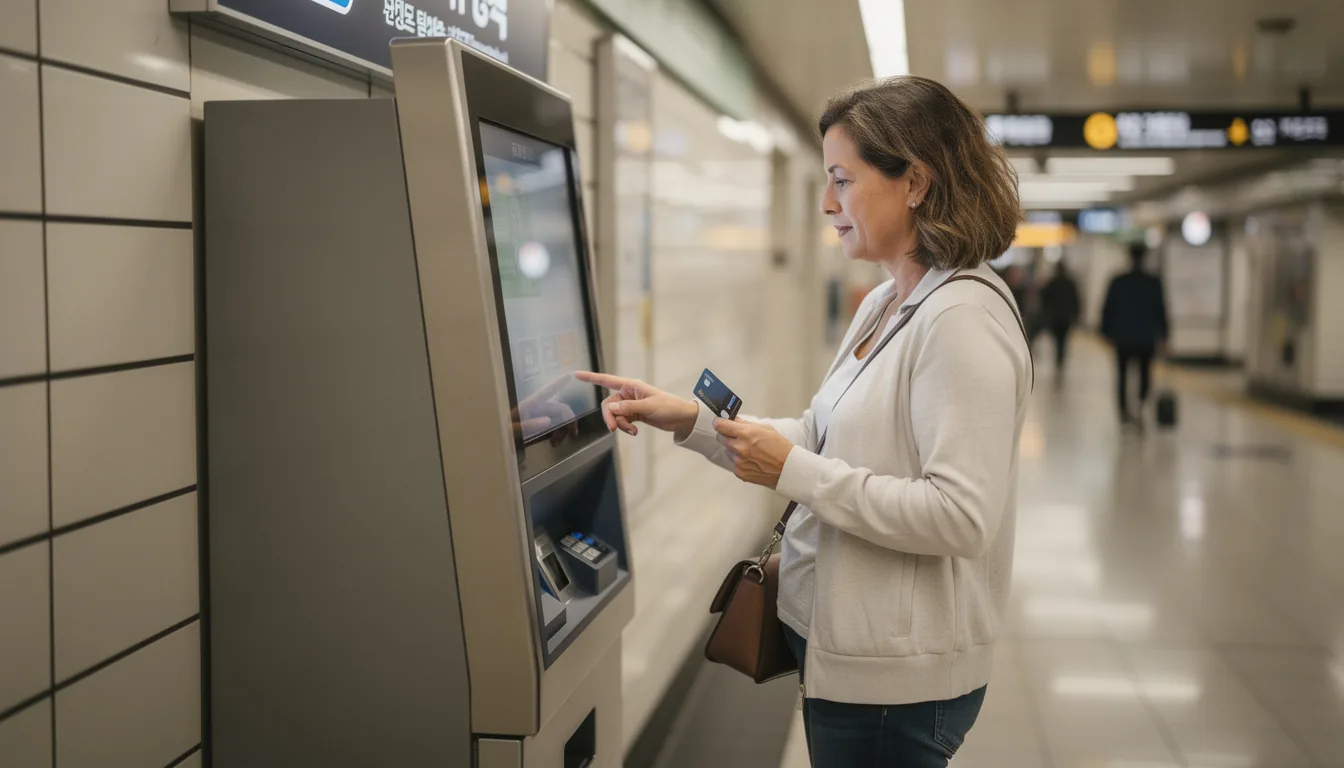
Where to load a prepaid travel card:
Kiosks are concentrated in Seoul subway stations, Incheon Airport, and major tourist districts. Bring either foreign cash or a foreign-issued card, since both work at the kiosks.
How Do You Book a Restaurant Table in Korea?
Catchtable is the app to book a restaurant table in Korea. It covers everything from high-end dining rooms to popular casual spots, and lets you see real-time wait times and read customer reviews before you commit.
Many of Seoul’s most in-demand restaurants take reservations only through Catchtable. Others fill so fast that walking in means a long wait or no seat, especially at weekends.
The app shows open time slots directly, so you book ahead instead of guessing whether a place will have room when you arrive.
If you’re more interested in delivery than dine-in, say you’re staying somewhere without easy restaurant access, Shuttle Delivery covers food, and even some clothing and cosmetics delivery, in Seoul, Pyeongtaek, Daegu, and Busan.
Book ahead for popular restaurants
If there’s a specific restaurant on your list, check Catchtable a few days before you plan to go rather than the same morning, since the most talked-about spots can book out days in advance.
Which Apps Keep You Safe in an Emergency in Korea?
For safety, Emergency Ready is the official app to have. The Korean government builds it, and it runs in 21 languages.
Emergency Ready covers disaster alerts and points you to nearby shelters, emergency medical centers, police stations and fire stations. There’s basic guidance inside too, like CPR steps, first aid, and how to find a fire extinguisher nearby.
Korea also pushes emergency disaster texts automatically to phones on a Korean mobile network. Heat waves, air quality warnings, earthquakes and the like.
There’s nothing to download. The disaster alert arrives through your carrier the same way an Amber Alert would elsewhere, so if you’re using a local SIM or eSIM you’ll typically start receiving these without doing anything.
For everything else, the 1330 Korea Travel Hotline connects you to a real person in multiple languages.

Charge a power bank before you rely on any of these apps.
None of these apps help if your phone dies. If you’re carrying a spare battery or power bank for a long day out, check the airline rules first: see our spare batteries and power banks guide for the current battery limits before you fly.
- Police: 112
- Fire & ambulance: 119
- Korea Travel Hotline (English, Japanese, Chinese, Russian, Vietnamese, Thai, Malay, Indonesian): +82-2-1330
Need Help? Official Resources
Once you land, you’ll also go through immigration and customs before any of these apps become relevant day-to-day. If you haven’t reviewed how that process works, see our Immigration and Customs guide for the full walkthrough.
Korea Travel Apps at a Glance
Use this table as a quick download checklist before your trip.
| App | Category | What It’s For |
|---|---|---|
| Naver Map | Navigation | Walking, driving, cycling & transit directions |
| Kakao Metro | Transit | Subway line diagrams & transfers |
| Mobile T-money | Transit payment | Tap-to-pay for subway, bus & taxi |
| Let’s Korail | Trains | KTX/SRT booking & Korail Pass |
| Papago | Translation | Text, photo & voice translation |
| WOWPASS | Payment | All-in-one prepaid transit + debit card |
| Catchtable | Dining | Restaurant reservations & wait times |
| Emergency Ready app | Safety | Disaster alerts, shelters, first aid guidance |
Korea Travel Apps: Quick Answers
You need a map app (Naver Map), a transit payment method (Mobile T-money), a translation app (Papago), a payment app (WOWPASS), a restaurant reservation app (Catchtable), and a government safety app (Emergency Ready app). Most travelers get by with just these five or six installed before departure.
Not well. Due to national mapping data restrictions, Google Maps can’t provide walking, driving, or full public transit directions inside Korea. Naver Map is the local alternative almost everyone, residents and tourists alike, uses instead.
Mobile T-money on your phone works the same way a physical card does for subways, buses, and many taxis, and it accepts international card top-ups. A physical card is a reasonable backup if your phone battery is a concern, but it isn’t required if you’re comfortable relying on the app.
Papago, built by Naver specifically for Korean, generally outperforms general-purpose translation apps for Korean text, menus, and signage. It supports typed text, photo/camera translation, handwriting, and voice input across 14 languages.
Yes. WOWPASS is a prepaid card built for this exact situation: you load it with foreign cash or a foreign card at kiosks in subway stations and tourist areas, then use it for transit and everyday purchases without needing a local bank account.
Not always, but for popular or well-known restaurants in Seoul and other major cities, yes: many only take reservations through Catchtable, or fill up fast enough that walking in means a long wait. Check Catchtable a few days ahead for anywhere specific you want to try.
If you’re using a Korean mobile network (a local SIM or eSIM), you’ll automatically receive emergency disaster text alerts the same way locals do, no app required. The Emergency Ready app adds more detail on top of that: shelters, emergency facilities nearby, and basic safety guidance, available in 21 languages.
Download and set up navigation, translation, and payment apps before you arrive if possible. WOWPASS and Mobile T-money in particular are much easier to configure with reliable Wi-Fi at home than while jet-lagged and trying to find airport Wi-Fi.
Download the essentials before you fly. Setting up a maps app on airport WiFi with a queue behind you is nobody’s idea of a good start.
Two numbers worth keeping offline: the Foreigners’ General Information Center on 1345 (weekdays 09:00-22:00) and the Korea Travel Hotline on 1330.



Comments
Leave a comment